
Oculus Quest
Headset Rentals
Hire the original Oculus Quest, also known as Quest 1, for a compatible existing experience. Discuss your application with us first so we can check this older headset against the needs of your event or project.
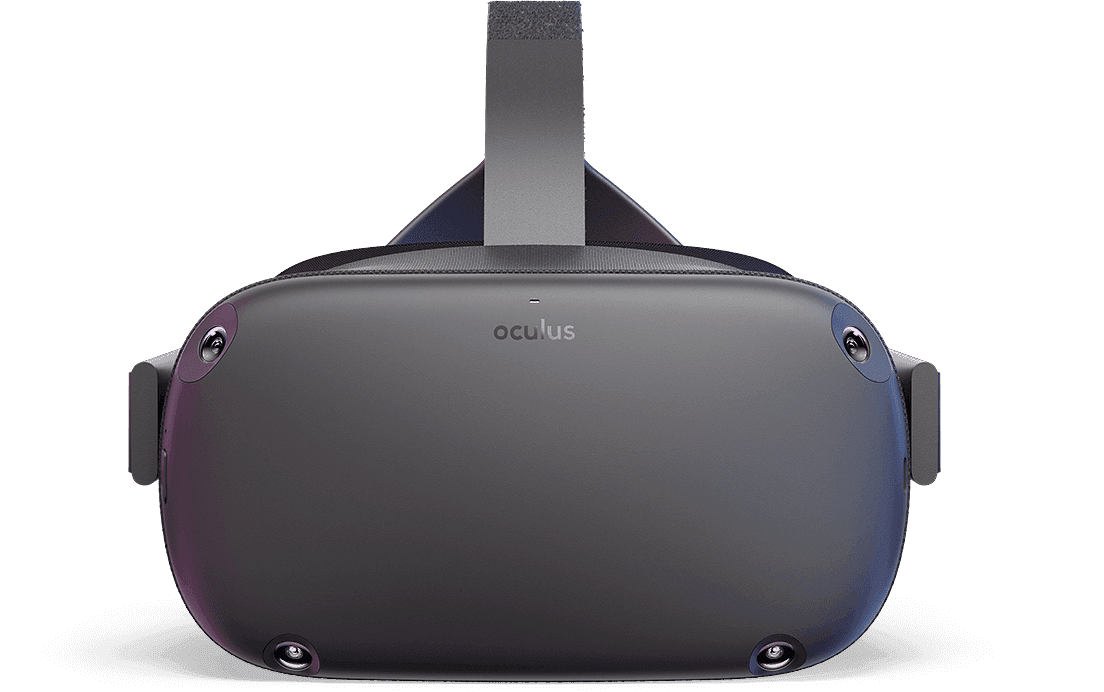 Oculus Quest // Original Standalone Hardware
01 / The experience
What this
headset offers.
The original Quest. Matched to the right experience. We’ll match the equipment and application to the experience you want to run.
All-in-one hardware
The headset runs compatible standalone content without a separate gaming PC. Its cameras track the headset and Touch controllers without external base stations.
Move and interact
Six-degrees-of-freedom tracking follows movement as well as head direction. Participants can reach, turn and interact within a defined play area.
Existing project compatibility
Quest 1 is a legacy platform. A familiar application or an older custom build needs to be tested on the actual headset; newer Quest software is not automatically compatible.
02 / Know the equipment
Specifications
at a glance.
Quest 1 is an older generation with limited support for current apps and services. We treat it as a compatibility-led rental for existing content, rather than assuming that the current Quest catalogue will work.
Hardware reference (opens in a new tab)- Headset type
- Oculus Quest / Quest 1 / Standalone VR
- Tracking
- 6DoF inside-out camera tracking
- Display resolution
- 1440 × 1600 pixels per eye
- Controllers
- Two original Oculus Touch controllers
- PC requirement
- No separate PC for compatible standalone content
- Passthrough
- Monochrome camera view
- Power plan
- Rechargeable headset; controller batteries
- Content check
- Legacy application, account and casting compatibility
03 / Equipment and support
Build your
rental setup.
Your quote confirms the full equipment list. Tell us what you already have and what you need us to supply.
Request the original Quest headset, its two compatible Touch controllers and charging equipment. Tell us about your existing application or media so we can check the complete experience.
Plan a clear, well-lit participant area and access to charging. Share the venue connection details if the application or viewing setup needs a network.
TV screens & shared viewing
Add a TV and a suitable display connection so spectators can follow the action. The final method is confirmed against your equipment, content and venue.
Delivery & setup
Ask about delivery and on-site installation. Include access times, power availability and your event schedule so setup can be planned.
On-site facilitators
Request personnel to introduce the controls, help participants and manage the VR part of your event. Staffing and equipment are quoted together.
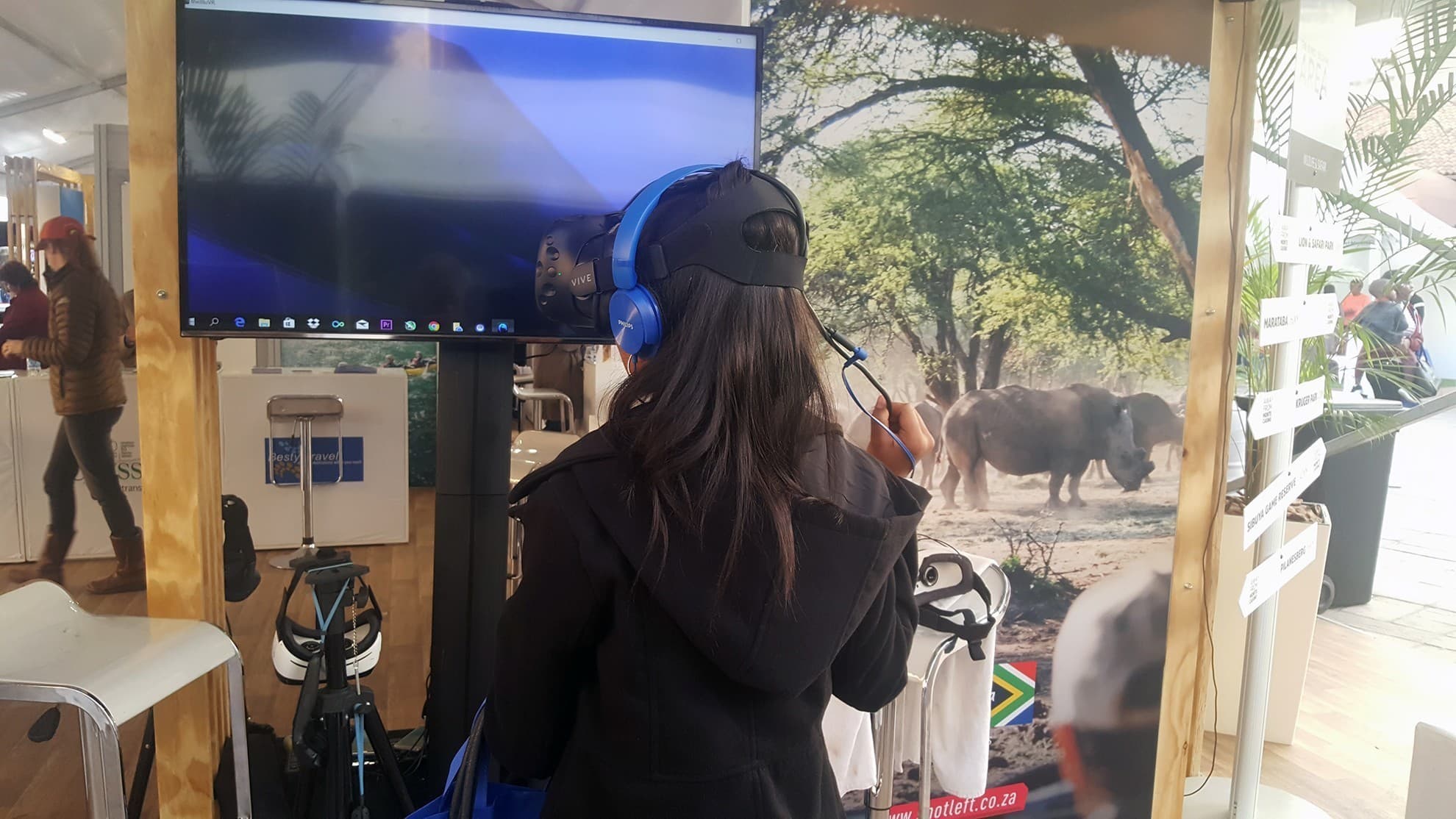 Example of an event viewing setup
04 / Bring everyone into the experience
TV casting &
shared viewing.
TV hire can be included, but the original Quest needs an application and casting compatibility check before shared viewing is promised. We’ll confirm a workable setup or discuss another headset with you.
Let us know how many screens you need and where your audience will be. We’ll include the required viewing equipment in the proposed setup.
Include a TV in your enquiry05 / Rental questions
Before
you book.
Check your content, equipment and venue together so your quote covers the complete experience.
Does this headset need a PC?
A separate PC is not needed for compatible standalone applications. If your experience requires PC software, send us the details first; the connection and software support need to be checked for this legacy device.
Which games or applications can I use?
Tell us which game, video, training application or custom build you want to use. Compatibility, access and any event-use licensing are confirmed before the booking. Ask us for help if you are still choosing an experience.
Can I add TVs and event support?
Yes. Add TV screens, a compatible display setup, delivery and facilitators to your enquiry. We’ll confirm availability and what is included in the quote.
How much does the rental cost?
Rental pricing depends on your dates, duration, quantities, location and chosen extras. Request a quote that includes any TVs, PCs, delivery, setup and on-site support. Availability and the final equipment list are confirmed with our team.

Step Into The Future with
Virtual Reality South Africa
From turnkey VR activations and enterprise equipment rentals to bespoke spatial computing software and 360° video production — our specialized team brings your immersive vision to life.